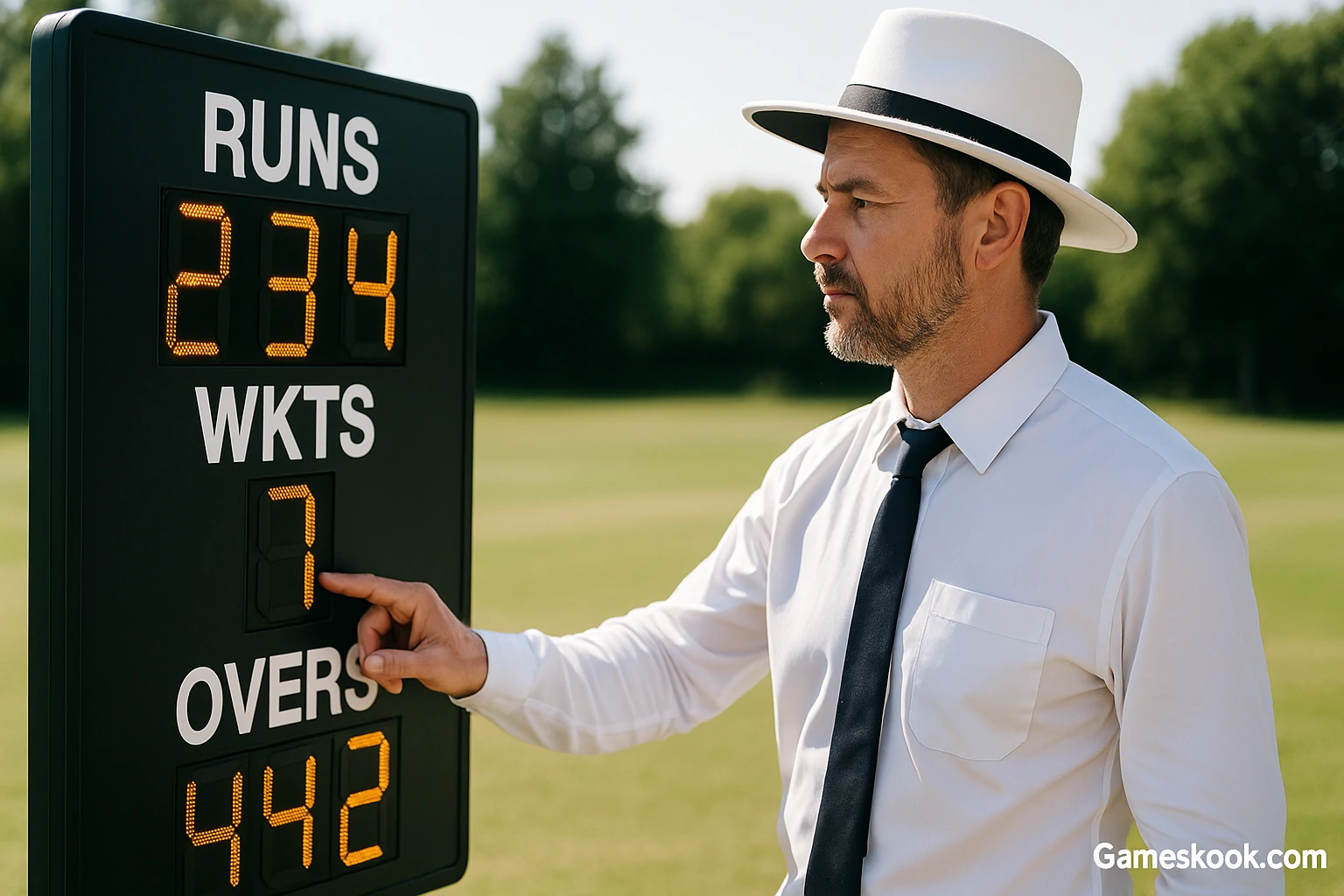
Many cricket fans want fast and clear ways to follow scores. Cricketeer Scoreboard helps with that. It gives a clear view of runs, wickets, and overs. It also helps new players and young fans understand the match flow. The tool works well in school events, club games, or simple home matches.
The scoreboard removes doubt from the field. It shows every update in a simple format. Umpires and players stay calm because they see the same numbers. Parents or local fans also enjoy a smooth match when the scoreboard stays accurate.
This guide explains how to set up the scoreboard, how to sync it, and how to use each feature. You will see how to adjust basic settings, how to log runs and wickets, and how to review match stats. Each step is clear and easy. You will not need tech skills to handle this device.
A good scoreboard lifts match quality. It keeps players focused on the game, not on score disputes. Cricketeer Scoreboard does that job well when you use it the right way. This guide shows you how to reach that level with simple steps.
What Is the Cricketeer Scoreboard?
Cricketeer Scoreboard is a modern digital display that shows live cricket scores. It works well in school games, club matches, and friendly tournaments. The screen gives real-time updates for runs, wickets, overs, and other match data.
This scoreboard does not need paper, pens, or whiteboards. It replaces old methods with a bright screen that shows clear numbers. Players, coaches, and fans can follow the score without asking or guessing. It keeps the focus on the game, not on score confusion.
You can control the Cricketeer Scoreboard using a mobile app or remote. Many models come with Bluetooth or Wi-Fi. These tools let you update the score from your phone or tablet, even from the sidelines. Some versions also show bowler details, player names, or team partnerships.
Most people like this scoreboard because it saves time. You do not need to repeat scores after every ball. The screen updates fast and stays visible in sunlight. It helps scorers avoid mistakes and keeps matches smooth. That’s why schools and local leagues now trust it more than manual scoring.
How Real Matches Use It
Coaches use Cricketeer Scoreboard during school tournaments to keep things fair and easy to follow. Club teams rely on it for weekend matches. Backyard games also benefit, especially when friends or family want to follow every ball.
The scoreboard adds fun to every level of play. You do not need pro equipment to run a proper game. Cricketeer Scoreboard helps any match feel smooth and official.
Cricketeer Scoreboard Features You Should Know
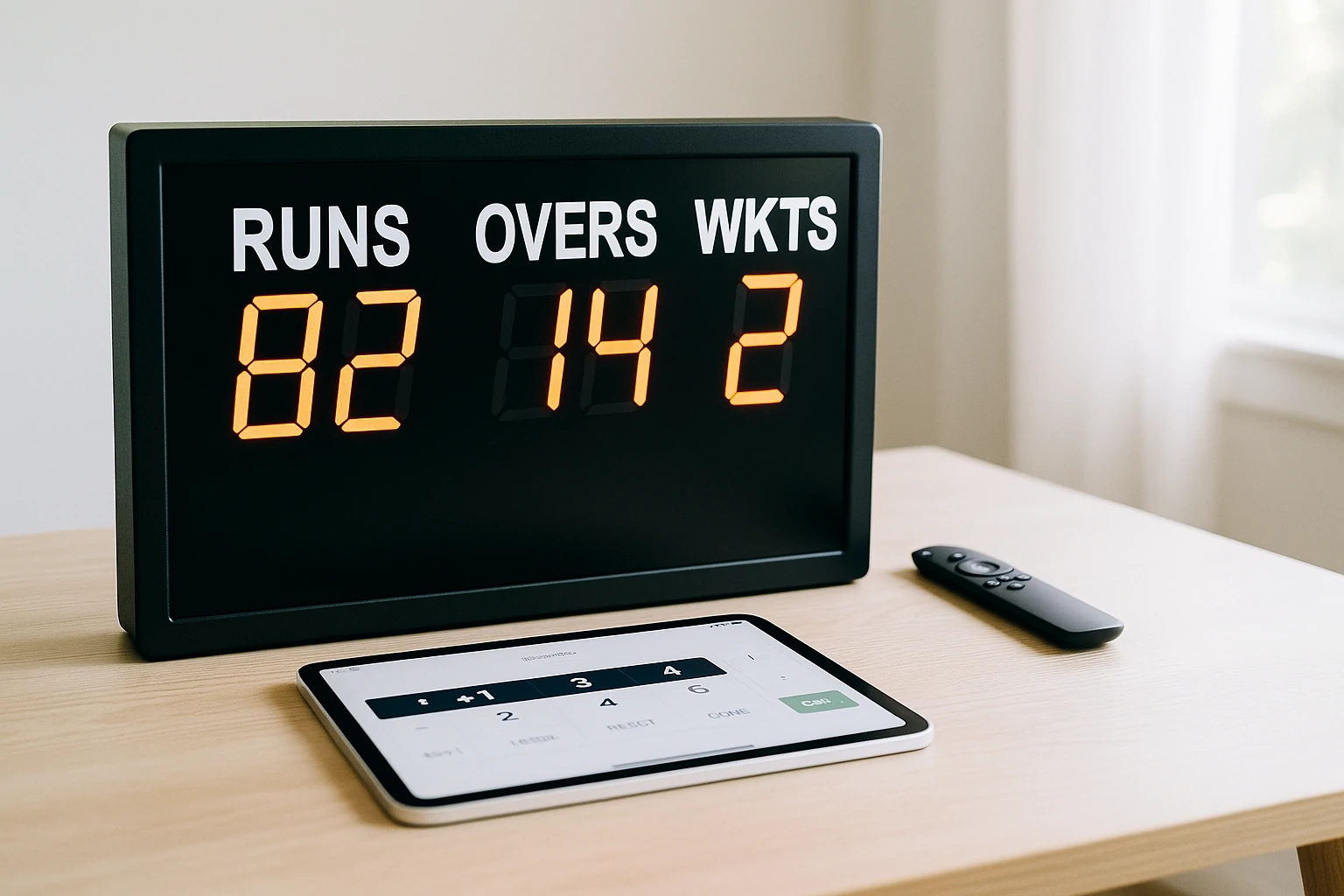
Cricketeer Scoreboard offers tools that help run a match without stress. Most models come with simple but powerful features. These tools keep the score clear and up to date.
You can expect these features in many versions:
- Live display of runs, overs, and wickets
- Built-in timer to track match length
- Power through cable or battery option
- Mobile app or remote for easy control
- Space to show team names on screen
- Bright LED or LCD panel that works in daylight
- Wireless pairing through Bluetooth or Wi-Fi
These features help both scorers and players stay focused. Each match runs smoother when you know how to use the board well.
Check the manual once before the game. You will find extra options that fit your match style. Use only what helps and keep it simple.
What Makes It Better
Manual scoreboards take time. You need to update them after every ball. It’s easy to forget something. Paper and chalk can smudge or fade in sunlight.
Cricketeer Scoreboard shows scores instantly. The screen updates with one tap. Everyone sees the same number at the same time. You can also save the match log, which is not possible with manual tools.
Looking for fun ideas to keep everyone engaged? Check out these top 30 indoor games to play at home that suit all ages and energy levels.
How to Set Up Your Cricketeer Scoreboard
Step 1: Unbox and Check the Parts
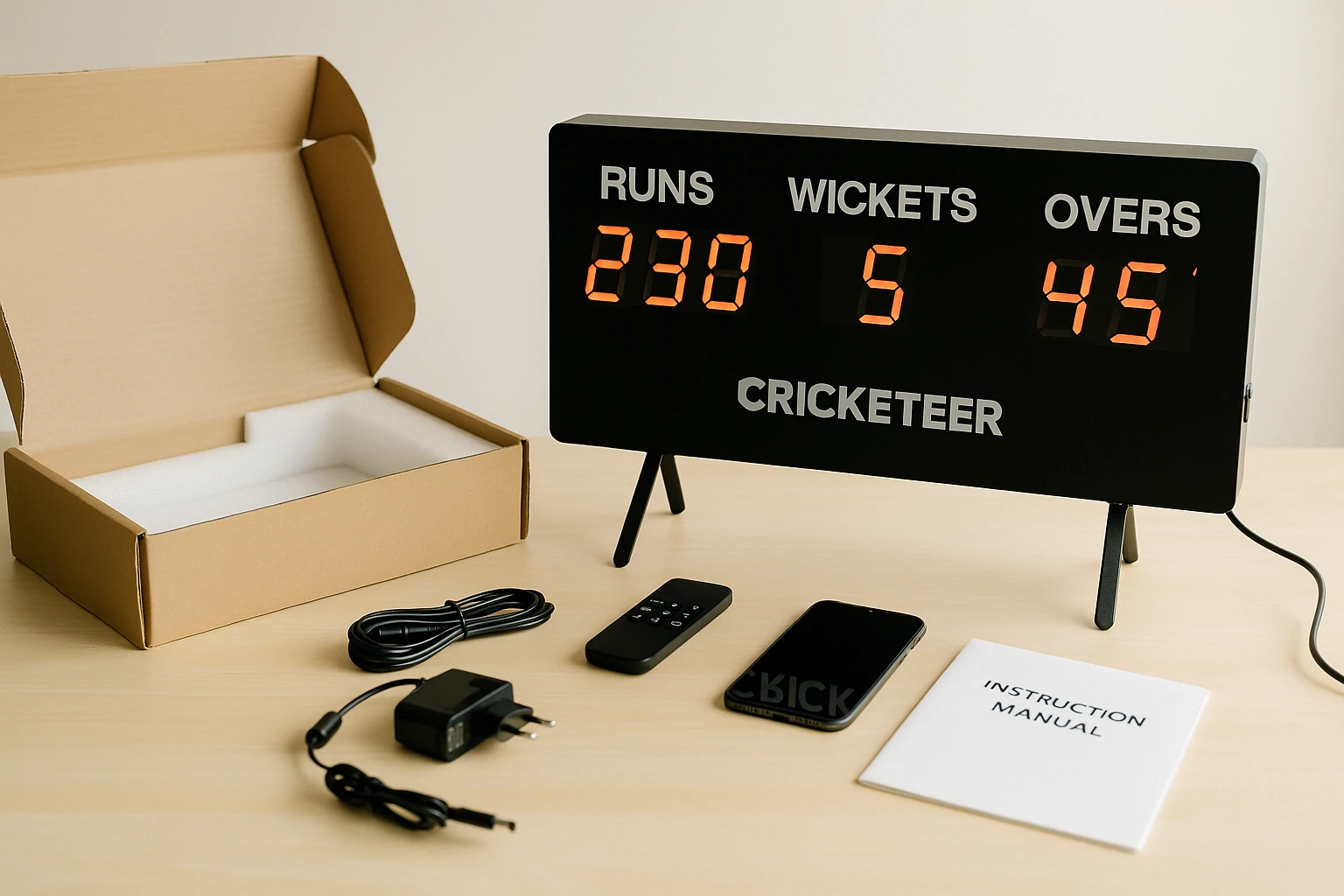
Start with the box. Take out all the items and place them on a table. You should find:
- One main display board
- A power cable or battery pack
- A remote or a tablet (if included)
- A stand or tripod
- The instruction manual
Look at each part. Make sure nothing is missing or damaged.
Step 2: Turn the Scoreboard On
Plug in the power or install the battery pack. Press the power button. The screen should turn on. Some models may show test numbers when they start. That means the board is ready.
Step 3: Connect Your Phone or Remote
Open the Cricketeer app on your phone or tablet. Turn on Bluetooth or Wi-Fi. Look for the scoreboard name in the device list.
Tap to connect. The app may ask for your approval. Once paired, the link will stay active through the match.
If your device does not connect, restart both and try again.
Cricketeer Scoreboard Settings You Should Adjust
A smooth match starts with the right settings. Make these changes before the game begins.
Match Format
Choose the match type based on your game:
- T20
- One-Day (ODI)
- Long format (Test)
- Custom number of overs
Pick the format that fits your match rules. This keeps the scoreboard in sync with innings and breaks.
Team Names
Type the team names into the app or remote. The names will show on the screen during play. This adds clarity and helps fans follow the score.
Overs and Wickets Limit
Set the total overs and number of wickets. Once a team reaches these limits, the scoreboard will reset for the next innings. This helps track progress without manual checks.
Font Size and Screen Brightness
Check where the match takes place. Use high brightness for outdoor use. Lower it indoors to avoid glare. Make sure the text is large enough for players and fans to see from a distance.
Scorer Name or Device ID
Some versions allow you to add a scorer name or device ID. This helps in events with many scoreboards or match officials. You can track who managed the score.
How to Sync Your Device with the Cricketeer Scoreboard
Start with a charged scoreboard. Press the power button. Wait for the screen to light up. Now check your phone or tablet. Turn on Bluetooth or Wi-Fi.
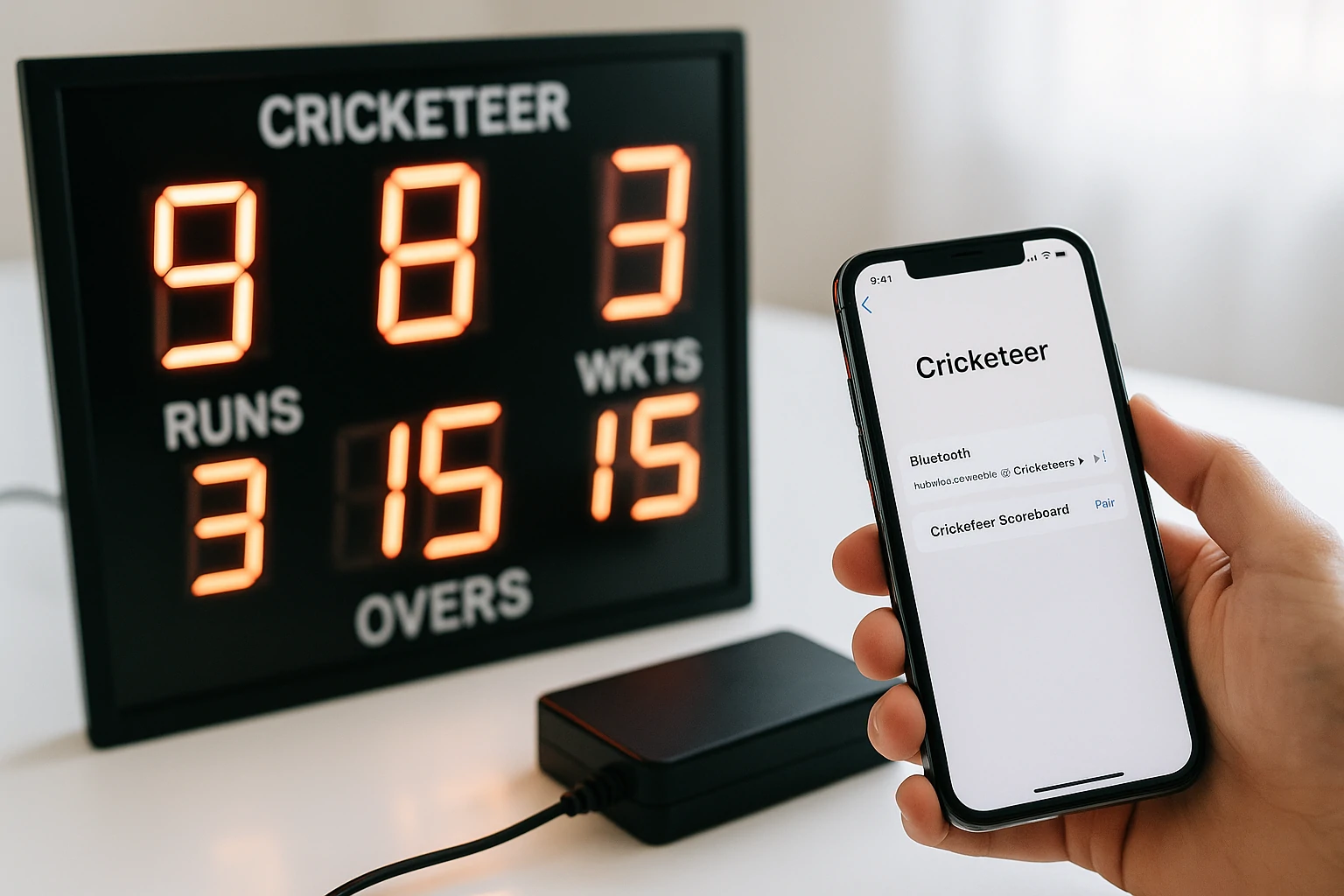
Open the Cricketeer app. A list of nearby devices will appear. Find the name that matches your scoreboard. Tap on it. The app may ask for permission to connect. Press allow.
Once the sync works, your phone becomes the control. You can add runs, record wickets, or update overs with a simple tap. The connection stays strong during the match.
If your device does not link, restart both units. Open the app again. Try to pair from the start. Clear old links if needed.
Keep both devices charged. A dead battery can break the connection. Use stable settings and test them before the match begins. This helps you avoid trouble once the game starts.
What the App Does
The app gives full control over the scoreboard. You can log runs, extras, and wickets. You can also pause matches, switch innings, or end games with one tap.
Each part of the app uses clear buttons. No learning curve. Anyone can use it without stress.
Where to Get the App
The app works on most Android and iOS phones. You can find it in the Google Play Store or Apple App Store. Check for updates often to avoid bugs or sync issues.
How to Use the Scoreboard During a Match
A match needs clear and fast score updates. The Cricketeer app helps you do that. Each tap adds the latest score to the display.
The scorer should watch every ball. When a run is made, tap the correct button. Use +1, +2, +4, or +6 based on the shot. If a wicket falls, press W. If the ball is wide or a no-ball, press the right extra button. Use Undo if you tap the wrong option.
The screen updates as soon as you press the command. Fans, players, and umpires can see the score without delay. You do not need to call it out.
At the end of the first innings, tap Innings Over. Check the numbers. Then begin the second innings. The board resets and starts fresh.
If the match stops due to rain or a break, press Pause. You can resume when the match starts again. The board keeps the last update saved.
When the match ends, press Match Complete. The final result shows on the board. Some models let you save the score or export it. Use this if you want to keep a record of the match.
If you’re also curious about new cricket-based games, check out our CricFooty review to see how this digital cricket experience compares to real match tools.
How to Track Stats with Cricketeer Scoreboard
Cricketeer Scoreboard gives more than just runs and wickets. It helps you follow key stats through the full match. You can see the current run rate and how many runs the team needs. The board also shows how many balls are left in the innings.
Some models show player details. You may see how many runs a batter scored or how many wickets a bowler took. You can also track extras like wides or no-balls.
The app saves these stats. Coaches can review them after the match. Captains can plan better for the next game. You can even share the results with your team or post them in your league group.
This feature helps teams grow. It gives a clear view of where they stand and what they can fix.
What to Do If Cricketeer Scoreboard Does Not Work
Sometimes the scoreboard may stop or freeze. Start with a simple check. Look at the power. If the battery is low, charge or replace it. If the power cable is loose, fix it first.
Next, restart the app. Open it again and try to connect. If it still does not work, remove the link to the board. Then pair your device again.
Check if the app or device needs an update. New software can fix bugs. If nothing else works, press the reset button on the board.
If the problem stays, contact customer support. Most brands offer help for schools, clubs, and event organizers. A quick reply can save your match day.
Tips to Use Cricketeer Scoreboard Like a Pro
Always test the scoreboard before the match begins. Make sure it turns on, shows the correct screen, and connects without delay. This saves time once the game starts.

Pick one person to run the board. That scorer should stay focused and avoid distractions. Clear roles help avoid double taps or missed updates.
Update your app and device when needed. New versions fix bugs and improve the sync. Old software can break the connection or slow the display.
Use a cover if the weather looks bad. Rain, dust, or direct sun can harm the screen. Keep it protected during setup and breaks.
Save your data after each innings. This creates a full match record. You can use it for review or share it with players later.
Train someone to act as a backup scorer. If one person steps away or faces a problem, the second scorer can take over. This keeps the game moving without delay.
A scoreboard should never cause stress. When you use it right, the match flows better and everyone enjoys the game more.
Use It Safely Around Children
Place the board on stable ground. Use the stand if your model comes with one. Do not leave wires in walkways.
Assign an adult to help younger scorers. The app is simple, but children may press the wrong button or drop the device.
Keep the screen away from water. If the weather looks bad, use a cover or wait to set up.
Price and Features
Most Cricketeer Scoreboards cost between $150 and $500. Small units work best for home matches. Larger ones suit school or club grounds.
Some models include a remote, others come with an app-only option. Advanced versions may track player stats.
Where to Order
You can buy the scoreboard from the official Cricketeer website. Some cricket shops also carry it. Always check reviews, delivery details, and support policies before you order.
Frequently Asked Questions
Can I use Cricketeer Scoreboard without internet?
You can run the scoreboard offline using Bluetooth. Internet is only needed when updating the app or exporting saved match logs.
Does the Cricketeer Scoreboard work with both Android and iOS?
The app supports most Android phones and iPhones. You can download it from the Play Store or Apple App Store.
Can two people control the scoreboard at the same time?
Only one device can stay connected during a match. You must disconnect the first device before syncing another one.
Is the scoreboard safe to use in outdoor matches?
The bright screen works well in daylight. Some models also support battery power, which makes them easy to use on open fields.
What happens if the app crashes mid-match?
You can reopen the app and reconnect the device. The board keeps the last score update saved unless powered off.
Does the scoreboard store match stats after a game?
Match logs can be saved using the app. You can review them later, or export them for reports or sharing with teams.
Is the Cricketeer Scoreboard waterproof?
Most models are not waterproof. It’s better to use a screen cover or tent during rain.
Conclusion
Cricketeer Scoreboard brings order to every match. It keeps scores clear and players focused. The screen updates fast, and the controls stay simple. You can set it up in minutes and run the match with ease.
This guide showed you how to use the device step by step. From setup to sync, each part matters. Use only the features you need. Keep your system simple. Check the board before the first ball.
Confidence grows when tools work right. Cricketeer Scoreboard helps you reach that point. It turns match data into something players and fans can trust. Clean scores make better games.
Cricket runs on clear numbers. This scoreboard keeps those numbers sharp from start to end.
If you want a smooth and responsive typing tool, check out our detailed Creamy Keyboard Review: Smooth Typing and Gaming Experience.